#1762808104
[ homelab | k8s ]
My first bare metal Kubernetes cluster is finally online. It took a while and I tried way to many different things but I eventually ended up with Talos and Omni for the management interface.
My first plan was some fancy net boot setup with IPXE and a custom http/tftp server that managed custom configs for each server. That will install K3s onto MicroOS and join the cluster without ever attaching a keyboard to the server. This was all done with Ignition and Combustion scripts. It worked but was error prone and instable. And later I discovered a very similar project already existed called Matchbox. This uses CoreOS instead of MicroOS, which is almost the same but Fedora flavoured. On top of this K3s is not that simple to setup, its lightweight but not simple. So I was reinventing a shitty wheel. But to my credit, it did work.
Something similar but with NixOS was my 3rd plan but never got to it but I don’t think it would have worked that much better. A bit cleaner but still clunky.
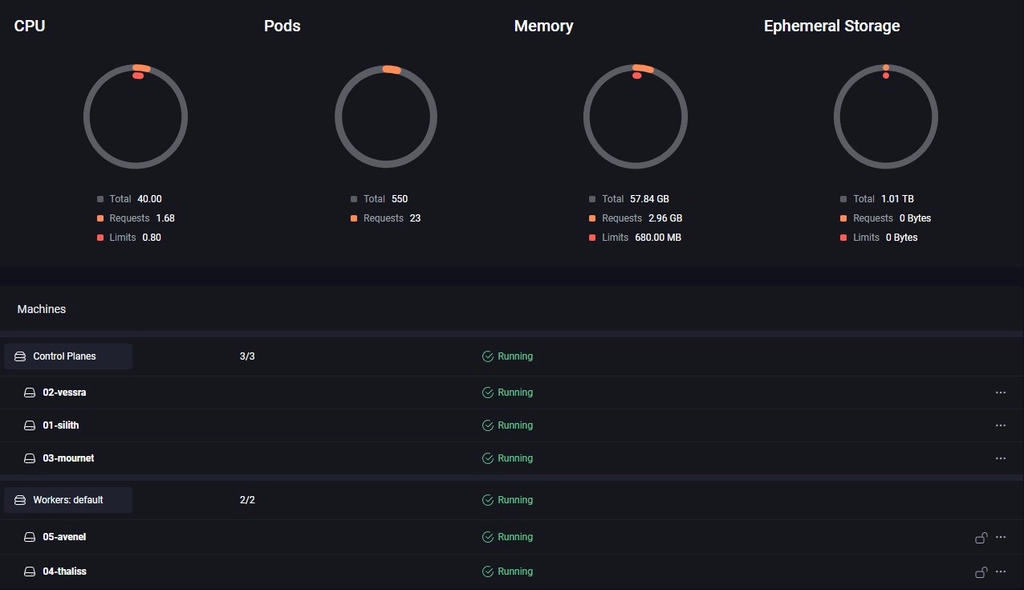
So going back to Talos OS, which I underestimated at first. I thought it would be to frigid and require a lot of config. It does require some config but it is fully declarative so that was fine. But I was placentally surprised by the headless install via the http API. The install was also fast and as light as MicroOS + K3s. But still the CLI seemed error prone to me and bootstrapping everything was still a lot of manual work.
That is where Omni fills the gap. It was a pain to setup up with all the endpoints and certs that it requires (it also requires some form of SSO). But once that was done it was smooth sailing. You just create the installation media in the web interface and download the ISO (or even just copy over the PXE config in my case). And this setup is not specific for one node. You can use the same IMG on all the nodes and they will connect them self to the Omni server via a Wireguard tunnel waiting on you to make the full install via the UI. Once all nodes connected themselves to my Omni instance I just had to click ‘create cluster’. And once nodes are in the system I can reconfigure (clear, remove/add to a cluster, update…) as much as I want needing a new PXE boot or a fresh ISO. And it can handle many clusters and even automatically setup Wireguard networking in between nodes for a hybrid setup between the cloud and on-prem. It also has native support of Hetzner which ill will servantly test out. The only downside is that Omni is not free for production use. But for homelab it’s perfect (up to now).
Hardware is ‘done’ now, next step: lots of yaml’s.