https://pine32.be - © pine32.be 2025
Welcome! - 103 total posts. [RSS]
A Funny little cycle 2.0 [LATEST]


Search 103 posts with 45 unique tags


#1765230859


[ homelab | k8 ]

MB is now officially running on a highly available Kubernetes cluster. Don’t know if uptime is going to be better because I don’t have a real load balancer. Currently it is just using DNS. So if one node goes down I will need to remove a DNS record and hope propagates fast enough. Still better then one node, at least I have still some control.

Non-authoritative answer:
Name:    mb.pine32.be
Address: 176.57.188.254
Name:    mb.pine32.be
Address: 185.211.6.112
Name:    mb.pine32.be
Address: 185.216.75.171

#1762808104


[ homelab | k8 ]

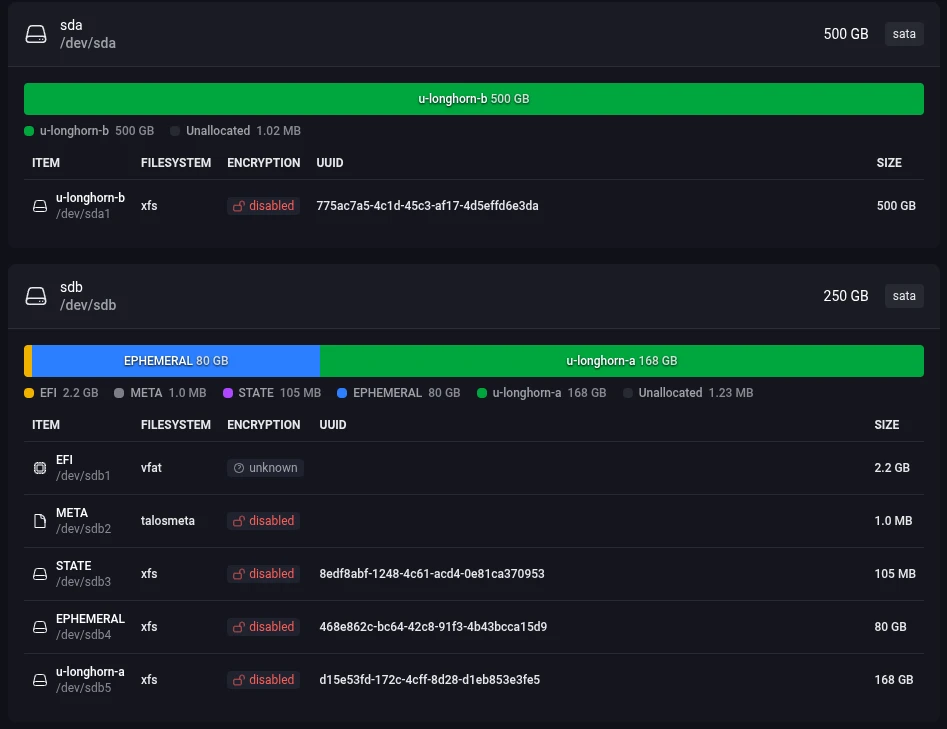
My first bare metal Kubernetes cluster is finally online. It took a while and I tried way to many different things but I eventually ended up with Talos and Omni for the management interface.

My first plan was some fancy net boot setup with IPXE and a custom http/tftp server that managed custom configs for each server. That will install K3s onto MicroOS and join the cluster without ever attaching a keyboard to the server. This was all done with Ignition and Combustion scripts. It worked but was error prone and instable. And later I discovered a very similar project already existed called Matchbox. This uses CoreOS instead of MicroOS, which is almost the same but Fedora flavoured. On top of this K3s is not that simple to setup, its lightweight but not simple. So I was reinventing a shitty wheel. But to my credit, it did work.

Something similar but with NixOS was my 3rd plan but never got to it but I don’t think it would have worked that much better. A bit cleaner but still clunky.

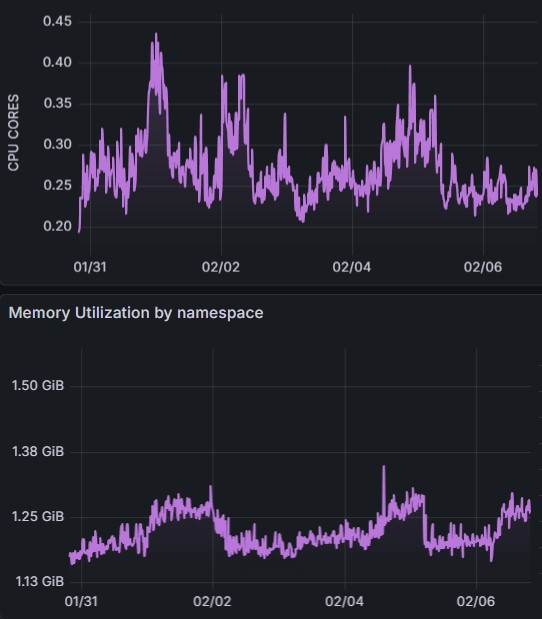
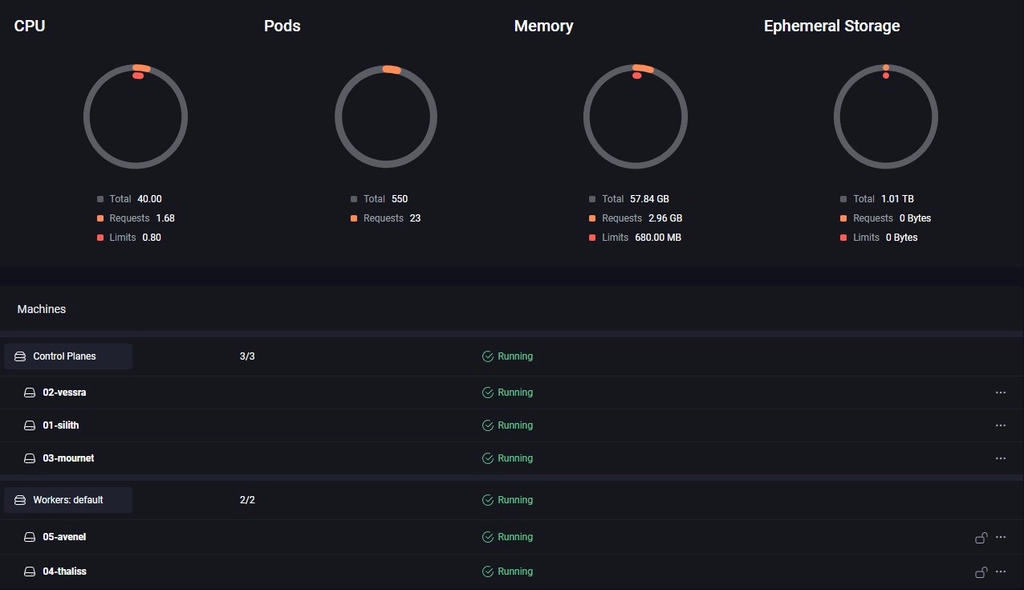
omni venom cluster dashboard view

So going back to Talos OS, which I underestimated at first. I thought it would be to frigid and require a lot of config. It does require some config but it is fully declarative so that was fine. But I was placentally surprised by the headless install via the http API. The install was also fast and as light as MicroOS + K3s. But still the CLI seemed error prone to me and bootstrapping everything was still a lot of manual work.

That is where Omni fills the gap. It was a pain to setup up with all the endpoints and certs that it requires (it also requires some form of SSO). But once that was done it was smooth sailing. You just create the installation media in the web interface and download the ISO (or even just copy over the PXE config in my case). And this setup is not specific for one node. You can use the same IMG on all the nodes and they will connect them self to the Omni server via a Wireguard tunnel waiting on you to make the full install via the UI. Once all nodes connected themselves to my Omni instance I just had to click ‘create cluster’. And once nodes are in the system I can reconfigure (clear, remove/add to a cluster, update…) as much as I want needing a new PXE boot or a fresh ISO. And it can handle many clusters and even automatically setup Wireguard networking in between nodes for a hybrid setup between the cloud and on-prem. It also has native support of Hetzner which ill will servantly test out. The only downside is that Omni is not free for production use. But for homelab it’s perfect (up to now).

Hardware is ‘done’ now, next step: lots of yaml’s.

#1760905046


[ homelab | k8 | servers ]

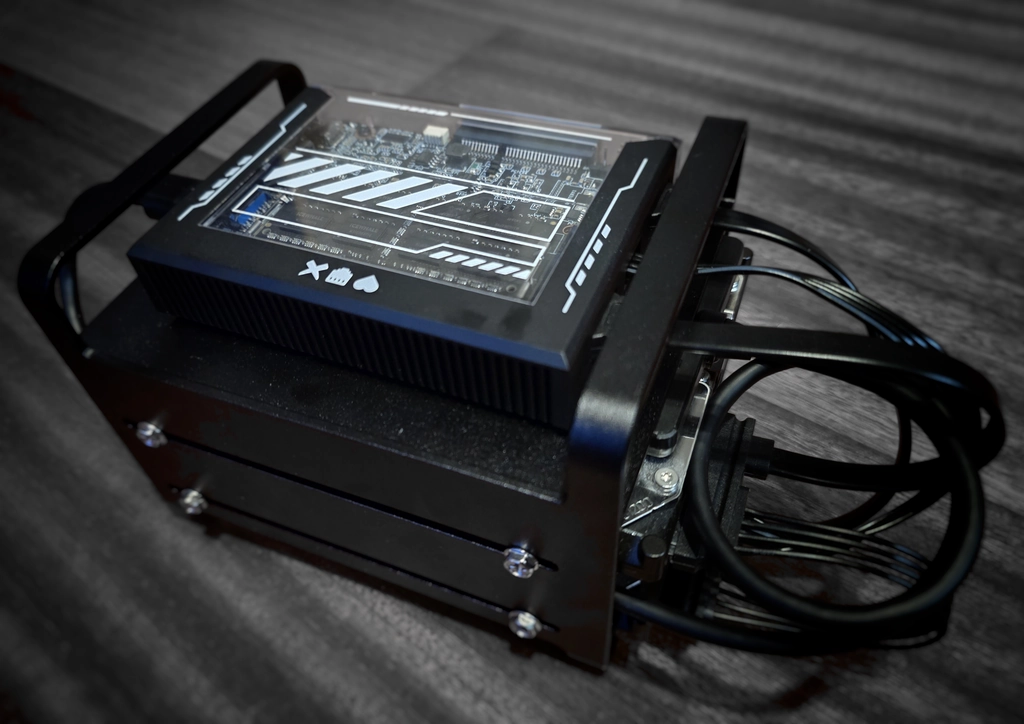
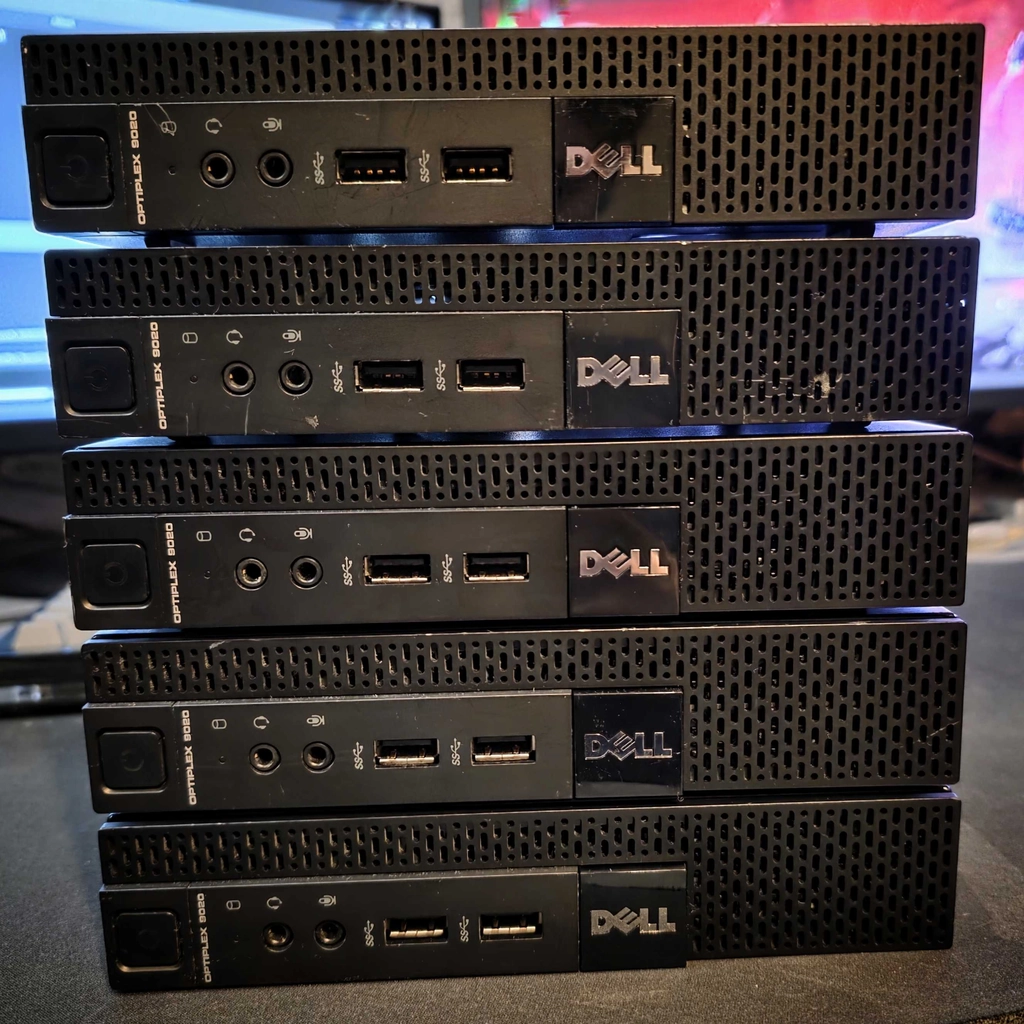
New bare metal Kubernetes cluster for my homelab. I got 5 cheap Dell OptiPlex micro pc’s second hand. i7-4785T, 12 GB DDR3 memory and 250GB SATA SSD each. Still setting everything up but it looks promising. More about the setup coming…

5 dell optiplex micro pc’s

#1758658600


[ homelab ]

I am working on a full overhaul of my homelab and server setup (more posts about it will follow). I want to make things more concise, starting with a strong base on top of the runtime platform (Docker or Kubernetes). So I started with the reverse proxy, which is an easy choice: Traefik. It’s easy to use, stable, and cloud-native; it checks all the boxes.

Next up is some form of centralized authentication. Mostly I just want an OIDC server with its own user management. I use this for single sign-on for my services that I run and for proxy-level authentication to secure services that should be more secure or don’t have any built-in auth (like the Traefik dashboard). I have been running Authentik for 6 months now, but it is overcomplicated and resource-hungry. I don’t get why so many homelabbers rave about this. It is a great project and it works perfectly, but it is also built for enterprise scale with a huge amount of customizations and integrations. I don’t need all that, and it is eating my CPU and memory (it’s written in Python).

So, time for something else. Pocket ID works great: it is simple, clean, fast, and good-looking. It only uses passkeys, so it is secure by default. And with a plugin, it can work with Traefik. For my current setup, it is almost perfect. But there is one thing: it is not fully declarative and doesn’t work super well with Kubernetes. But if you don’t care about declarative configs or high availability (which should be the case for most homelabs), I highly recommend it. I have been using it with my current setup and it works great.

But we are still in search of something for Kubernetes. I heard a lot of good things about Authelia, so I tried it. Lightweight, they are working on a Helm chart, written in Go. It was all looking good until I started the config part: it needs an LDAP server. One more component to add, which added more complexity again. I wanted to stay light, so I added lldap, a lightweight LDAP server written in Rust. It did work, but still needing an LDAP server felt archaic (because it is). And I don’t like the split between user management and authentication management.

The search continued until I ran into Rauthy. It’s lightweight, simple to set up, and puts heavy emphasis on passkeys and very strong security in general. Written in Rust to be as memory-efficient, secure, and fast as possible. It directly supports ForwardAuth, so no plugin needed this time (one less dependency). And it uses an embedded distributed SQLite database, so ready for high availability without running any external database. And the nice admin UI, audit logs, and auto-IP blacklisting are nice bonuses on top. I am still testing it, but so far this seems perfect for what I need.
#1744467097


[ homelab ]

I have been testing Anubis to protect my services. It is a simple proof-of-work proxy. It doesn’t have a native Traefik middleware yet, but I got it working. Should be added to the docs soon-ish (I helped with an example).

Anubis weighs the soul of your connection using a sha256 proof-of-work challenge in order to protect upstream resources from scraper bots.

It works great, but I’m still on the fence about the mascot. I don’t really like the furry look, especially compared to the style of my website. I guess I’ll fork it, but the creator doesn’t like that. But it is MIT licensed, so they can’t do anything about it…

#1743450887


[ homelab ]

It’s backup day!! Time to check your backups.

I recently got backups working on my server, only took 2 years… I am using restic wrapped in a container that I found on github. That pushed to a storage box on Hetzner via WebDAV. Restic has all the nice incremental and resumable stuff handled (written in go btw). Works great but I still have to test a restore. Some day, give me a year or two.

#1734385699


[ homelab ]

Finally moved my VPS from Caddy to Traefik. There are still a few kinks to work out, but it works great. I like Traefik’s configuration more; it allows my config to be inside each Docker Compose file itself, so it’s all in one spot. It also has TCP and UDP support, which I will be using in future projects. It little more complex to setup, but way more powerful.